AI Camera Development Board Vision Sensor Board Powered By ESP32
Description
What is an AI camera system?
An AI camera system combines traditional camera hardware with artificial intelligence (AI) software to perform intelligent functions beyond basic image capture. These systems can analyze images and video, recognize objects, and make decisions based on that analysis, often enhancing security, automation, and image quality.
Elecrow’s AI camera development board is an intelligent development board based on the AI camera system. It is a micro-intelligent development board that integrates multiple algorithms for recognition, and is designed for lightweight applications such as education, makers, and industrial recognition.
This AI camera uses ESP32-S3 low-power dual-core SoC, built-in WiFi+BLE communication function, and can support local AI recognition and cloud reasoning.
It is equipped with a GC2145 2-megapixel camera that can accurately recognize faces, objects, motion trajectories, etc. The TFT-LCD capacitive touch screen is easy to operate and can quickly switch recognition functions. The RGB lighting module can fill in the light for objects in the dark, and the MEMS microphone and speaker can be used for intercom and DIY voice commands.
The AI visual camera presets a variety of intelligent recognition algorithms such as face recognition, color recognition, label recognition, object recognition, and tracking, etc., and is widely used in teaching experiments, smart car vision modules, industrial vision classification and other scenarios.
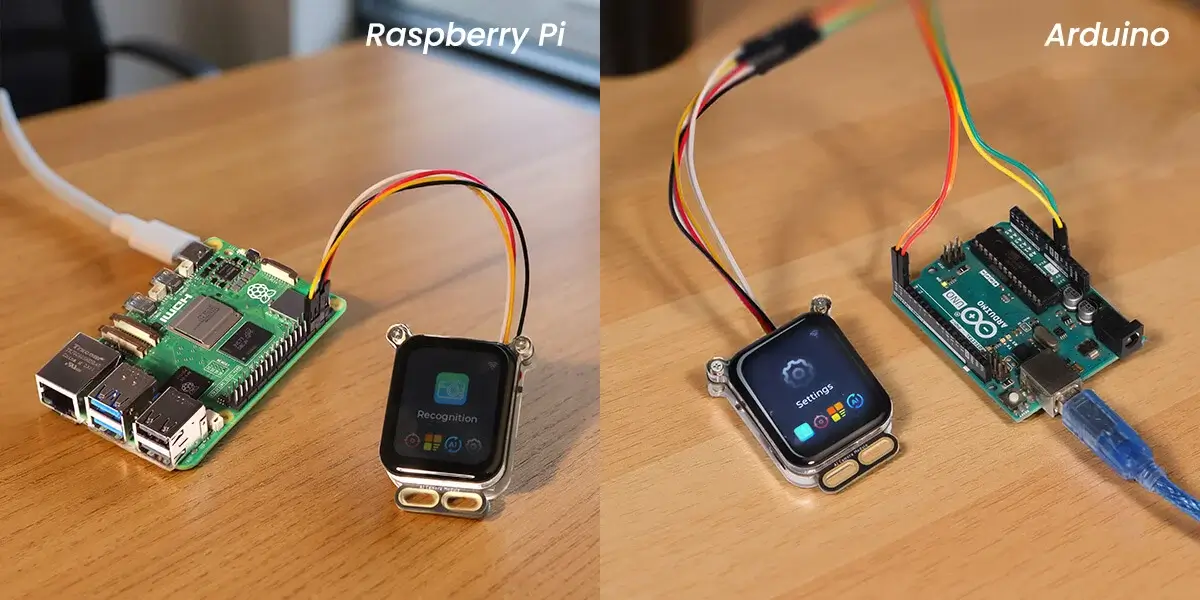
It has UART and BAT interfaces, and can be linked and controlled with mainstream SBCs such as Arduino and Raspberry Pi, and has good expansion capabilities.
The compact design, rich external interface advantages and broad market potential will redefine multimodal AI vision + voice interaction and redefine intelligent perception.
Designed & manufactured by Elecrow, customized requests can be discussed(based on MOQ). You can contact us at service@elecrow.com.
Model SAD00006D

Specification
| Main Chip: ESP32-S3R8 | |
|---|---|
| Processor | Equipped with high-performance Xtensa 32-bit LX7 dual-core processor, with a main frequency of up to 240MHz |
| System memory | 8M PSRAM, 384KB ROM |
| Storage | 16M Flash |
| Development Language | C/C++/MicroPython |
| Development Environment | ESP-IDF/Arduino/MicroPython etc. |
| Wireless Communication | |
| Bluetooth | Bluetooth®5, internal antenna |
| WiFi | WiFi 4 protocol, supports 2.4GHz, built-in antenna |
| Image Sensor (Camera) | |
| GC2145 | 2.0Megapixels, 120-degree wide-angle |
| Compatible cameras | Compatible with OV2640/OV5640 |
| Screen | |
| Size | 1.83 inch (Rounded Corners) |
| Screen Type | TFT-LCD |
| Touch Type | Capacitive Touch |
| Resolution | 320*240 |
| Audio | |
| Microphone | MEMS microphone, sensitivity -26dB±1dB, signal-to-noise ratio 58dB |
| Speaker | 8Ω/1W |
| Hardware | |
| UART Interface | 4PIN UART serial port connector (pitch 2mm) |
| BAT Interface | 2-pin battery holder (battery not included) |
| Type-C Interface | Power supply + program burning interface, input power 5V/1A |
| Button | RESET button, Function button |
| LED Light | Power indicator, White fill light, RGB Indicator, battery indicator |
| Other | |
| Power Input | 5V |
| Operating Temperature | -20~70℃ |
| Storage Temperature | -30~80℃ |
| Operation Power | |
| Size | 56*45*18.6mm |
| Shell Material | Acrylic |
| Net Weight | 32g |
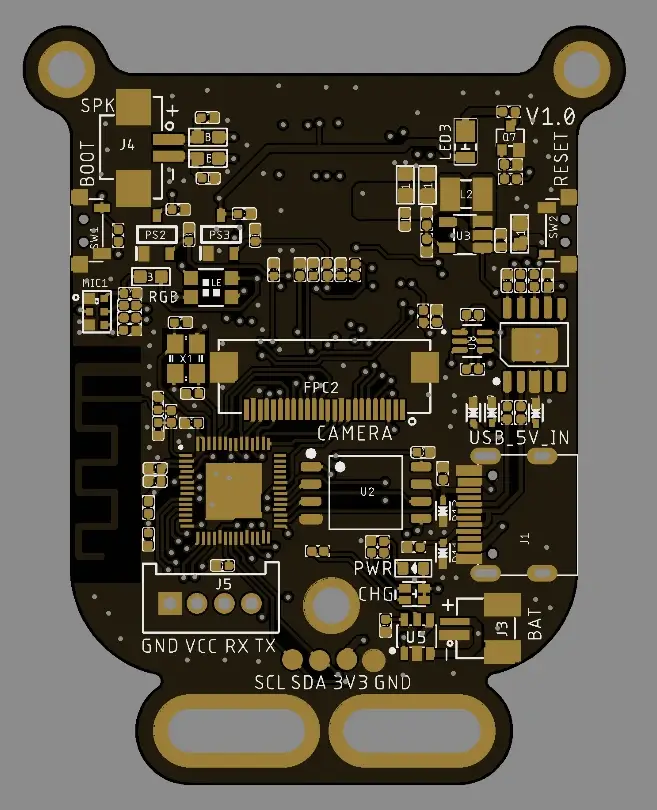
Schematic:

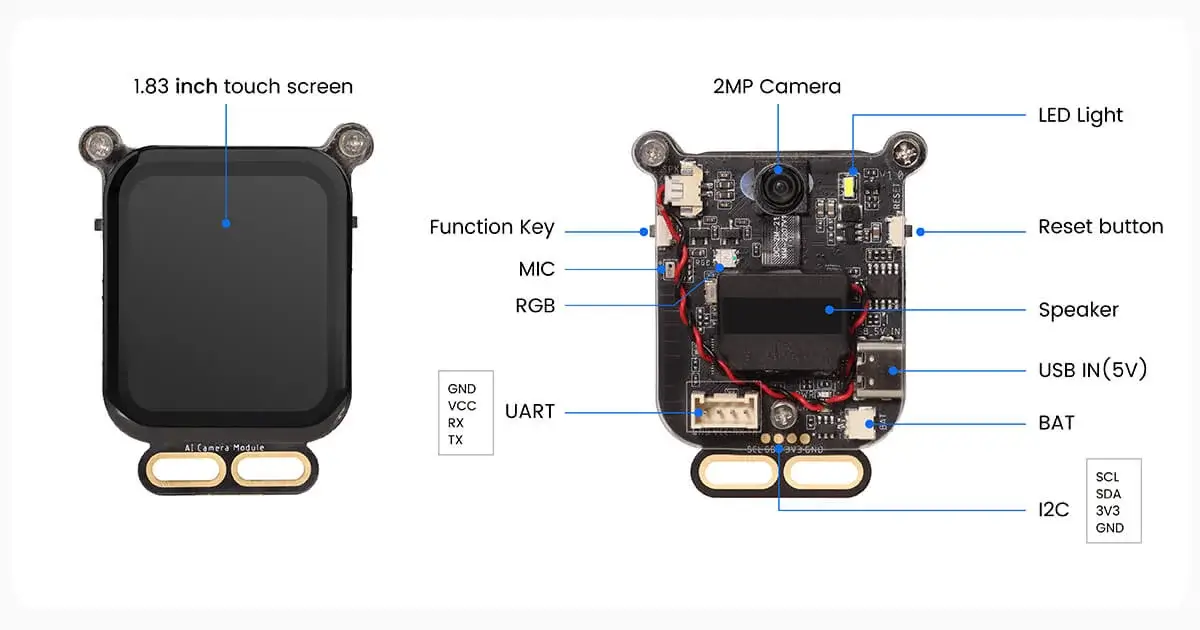
Hardware Overview :
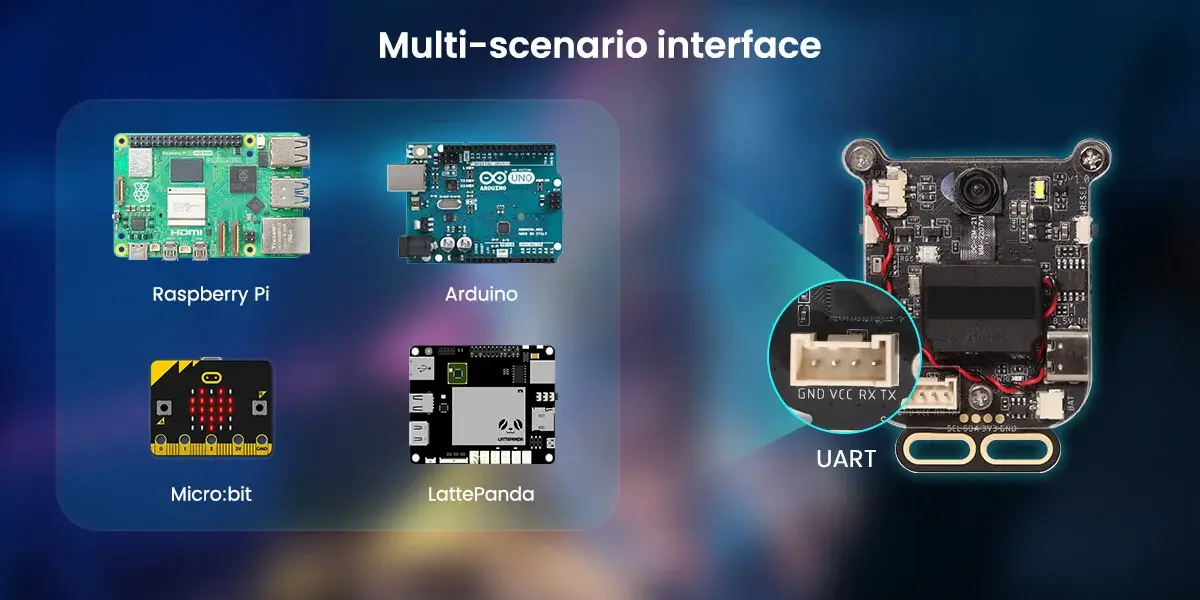
The expansion interface can connect with multiple SBCs.
It can connect with Raspberry Pi, Audino, micro:bit, LattePanda, etc.
user guide
Get Started with Arduino IDE
Please click the card below to learn how to install Arduino IDE, and install ESP32 board in the Arduino IDE.

Note: For the AI camera case, we used ESP32 version 3.2.0. When using Arduino, you must install ESP32 version 3.2.0.
If your computer lacks serial port drivers and no port appears after connecting the hardware, install the serial port drivers:
Windows version: https://www.elecrow.com/download/custom/CH341SER.zip
MAC iOS version:https://www.wch.cn/downloads/CH34XSER_MAC_ZIP.html
Arduino course pdf:
AI Camera Development Board Arduino course
Resources
Github link:
How to buy
Please visit this page to purchase AI Camera Development Board Vision Sensor.
Support
If you have any problem about how to use it, you can connect to us at the bottom-right of bazzer or contact to techsupport@elecrow.com to get technology support.